
Embedding Videos
Put Bold's player (or the full learning experience) on any site
Any video can be embedded on your website, course platform, or app with an iframe. Bold offers two embed types, and both are configured visually from the admin panel.
Getting the embed code
Open a video and choose Options → Configure Embed.
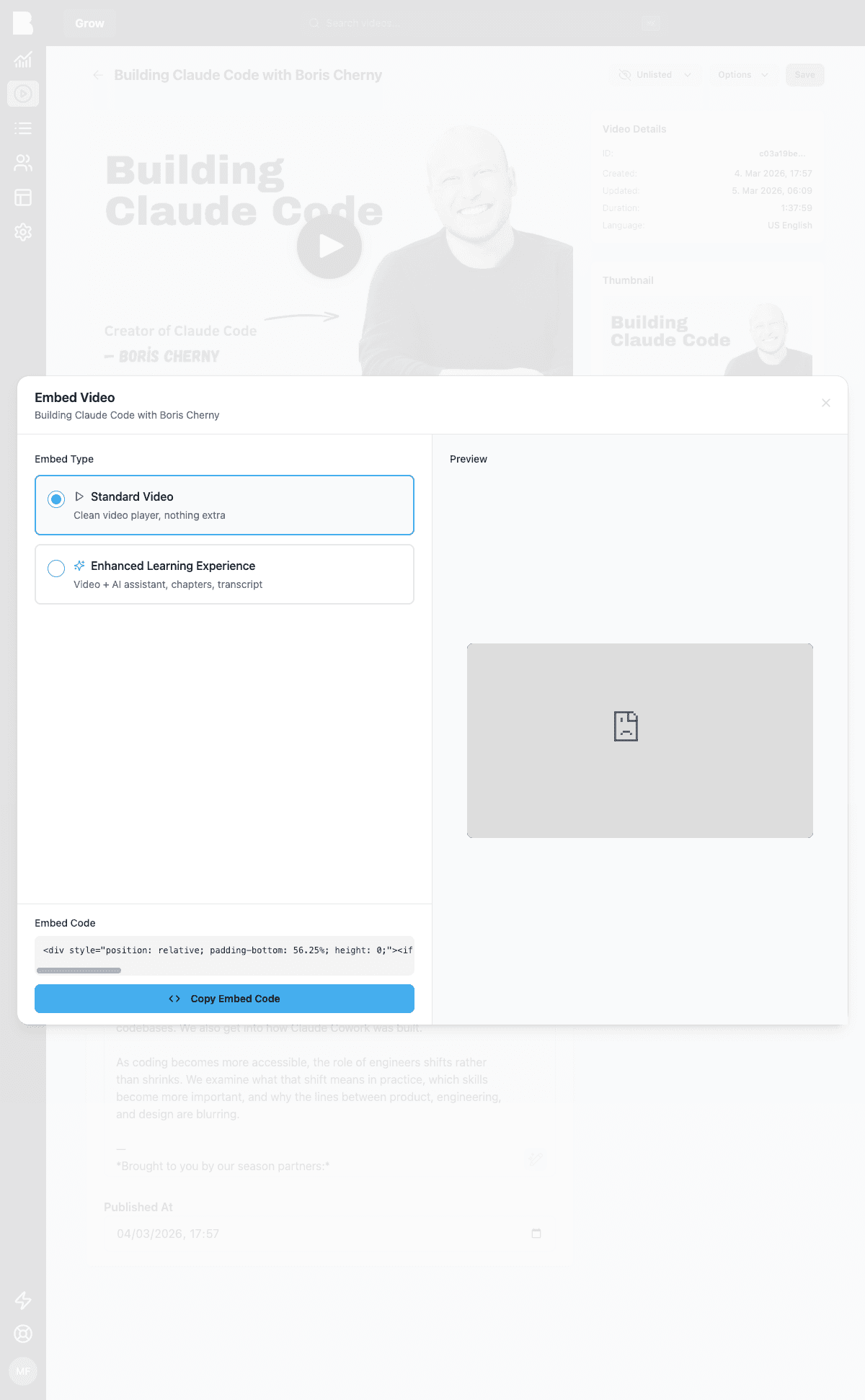
Standard Video
A clean, distraction-free player. The generated code is a responsive 16:9 iframe:
<div style="position: relative; padding-bottom: 56.25%; height: 0;">
  <iframe
    src="https://YOUR-PORTAL.boldvideo.com/e/VIDEO_ID"
    frameborder="0"
    allowfullscreen
    style="position: absolute; top: 0; left: 0; width: 100%; height: 100%;"
  ></iframe>
</div>
Enhanced Learning Experience
The full Bold experience in an iframe: player plus AI assistant, chapters, and transcript. When you pick this type, the dialog adds feature toggles:
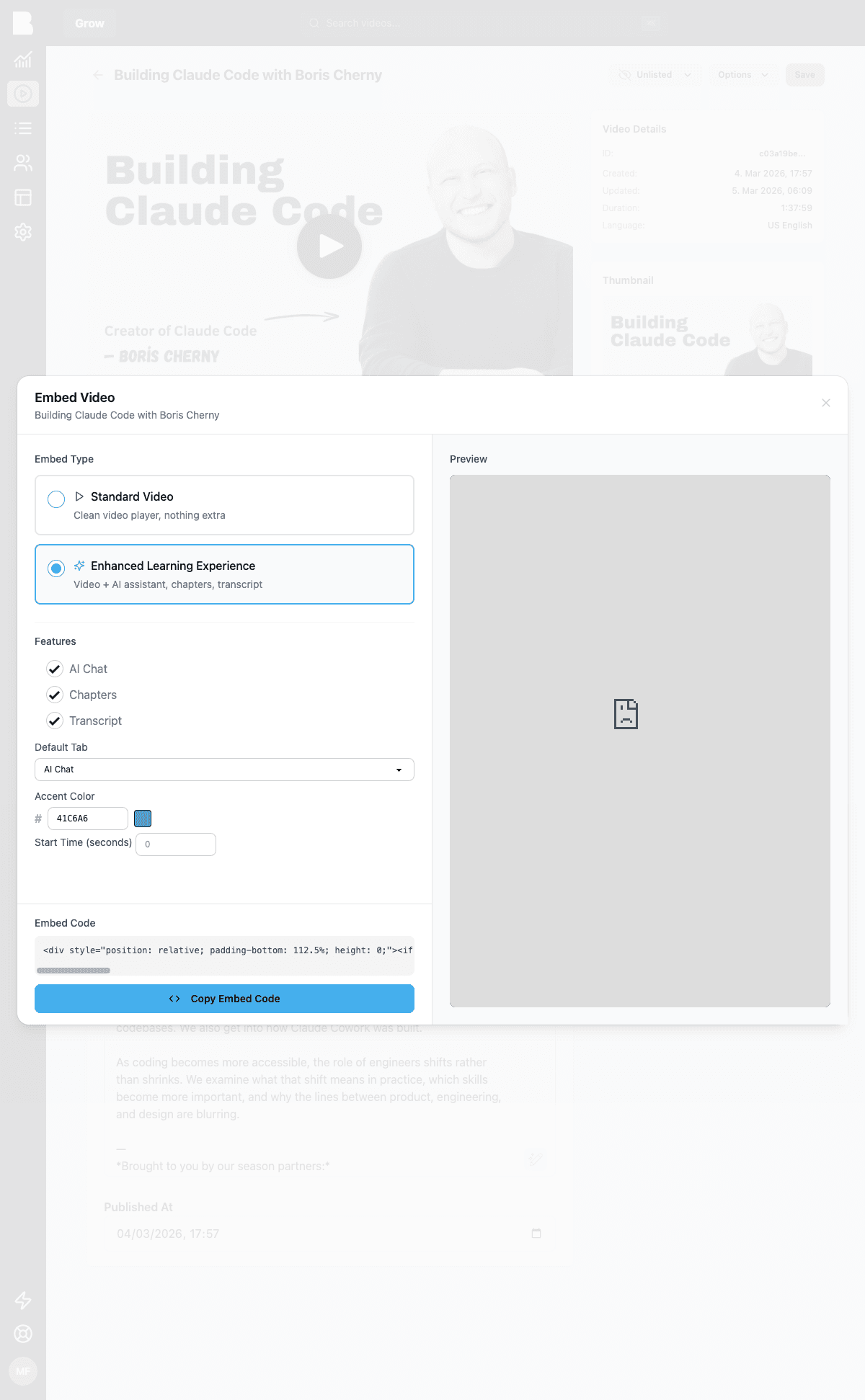
- Features: toggle chat, chapters, and transcript individually
- Default Tab: which panel opens first
- Accent Color: match your brand
- Start Time: begin playback at a specific second
Your choices are encoded as URL parameters:
<iframe src="https://YOUR-PORTAL.boldvideo.com/e/VIDEO_ID?accent=41c6a6&chapters=1&chat=1&transcript=1"></iframe>| Parameter | Values | Description |
|---|---|---|
chat | 0, 1 | Show the AI assistant panel |
chapters | 0, 1 | Show the chapters panel |
transcript | 0, 1 | Show the transcript panel |
accent | hex (no #) | Accent color for the embedded UI |
t | seconds | Start playback at a specific time |
The enhanced embed uses a taller aspect ratio (the generated wrapper handles it). If you write your own wrapper, give it more vertical room than a plain 16:9 player.
Quick embed
In a hurry? Options → Copy Embed Link copies the standard embed code with your current defaults, no dialog needed.
Building your own player?
If an iframe is too constraining, go headless: fetch the video via the API or SDK and use the playback_id / stream_url with any HLS-capable player. The Next.js starter shows a production setup with Mux Player.