
Uploading Videos
Get your content into Bold from your computer, cloud storage, or meeting recordings
Everything in Bold starts with an upload. There are several ways to get videos in, and they all end the same way: a fully transcribed, chaptered, searchable video.
Upload from your computer
- Go to Videos and click Upload Video
- Choose Upload from Computer
- Select one or more video files
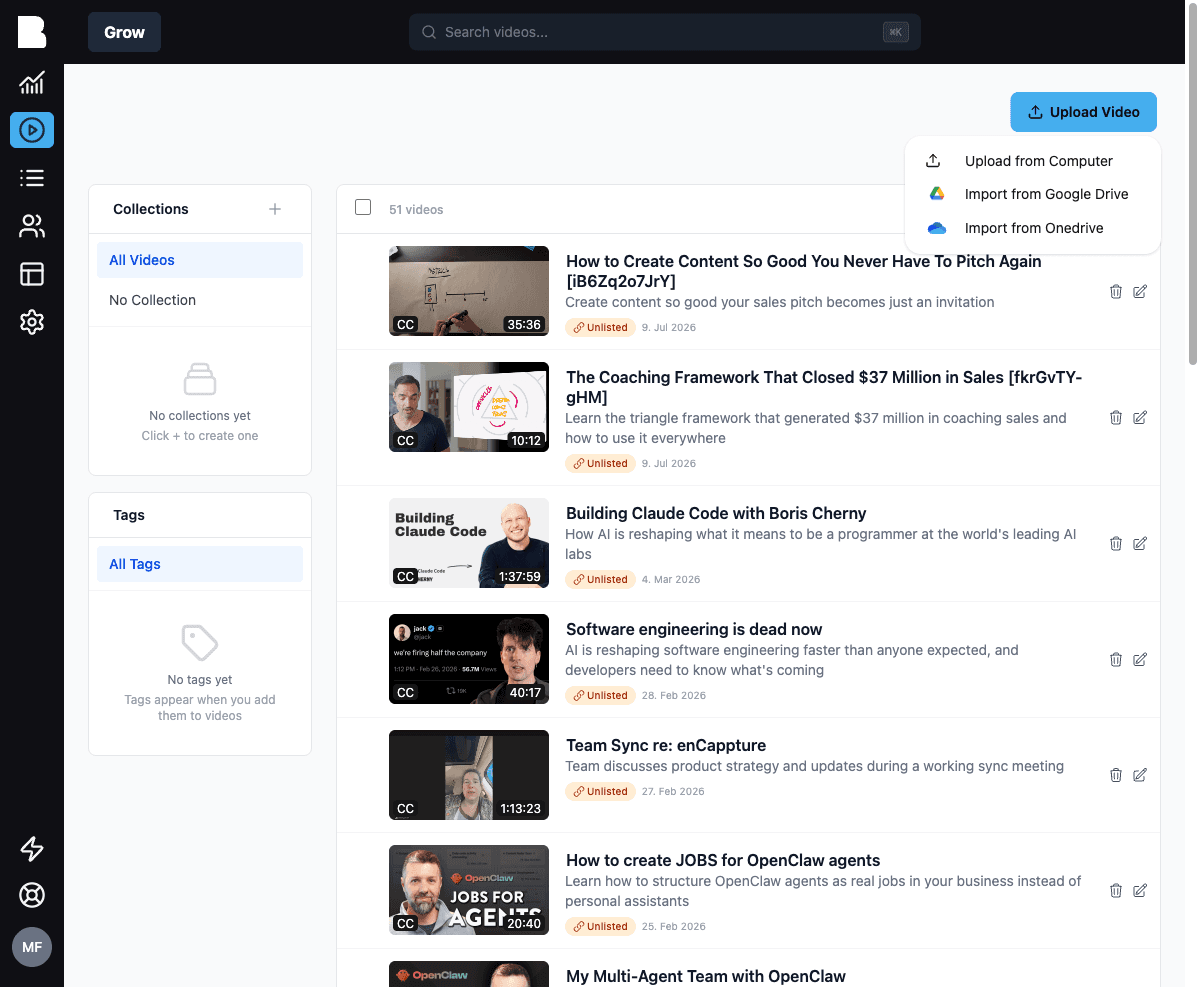
Bold accepts all common video formats (MP4, MOV, WebM, and more). Uploads run in the background, so you can keep working while they finish.
Import from cloud storage
The Upload Video menu also offers:
- Import from Google Drive: browse and pick videos from a connected Google account
- Import from OneDrive: same for Microsoft OneDrive / SharePoint
Connect these accounts once under Settings → Channel Settings, then import as often as you like. Google Drive can also monitor a folder and import new files automatically, handy for teams that already have a recording workflow.
Import meeting recordings automatically
Bold connects to Zoom and Microsoft Teams and imports your cloud recordings as they appear, perfect for coaching calls, office hours, and cohort sessions. See Integrations for setup.
What happens after upload
Every uploaded video is processed automatically:
- Transcription with speaker detection, using your default video language (and your transcription dictionary for domain-specific terms)
- Chapters are detected and titled
- Title, teaser, and description are drafted based on the video's type
- Captions are generated
- An intelligence report is compiled: topics, key points, participants, and details
- The content is indexed for search and AI chat
New videos start Unlisted, so nothing goes live before you've had a look.
Replacing a video
Need to swap the file but keep the metadata, URL, and analytics? Open the video, then Options → Replace Video. Bold re-runs processing on the new file.
Uploading via API
You can also create videos programmatically from a URL. See the Videos API reference.
Migrating a large library from Kajabi, Vimeo, YouTube, Circle, or another platform? Bold offers a white-glove migration service: videos, members, and structure. Get in touch.