Settings
Channel settings, menus, CTAs, SEO, developer keys, and billing
Settings collects everything about your channel that isn't a video. Here's the map:
Channel Settings
The foundation of your channel:
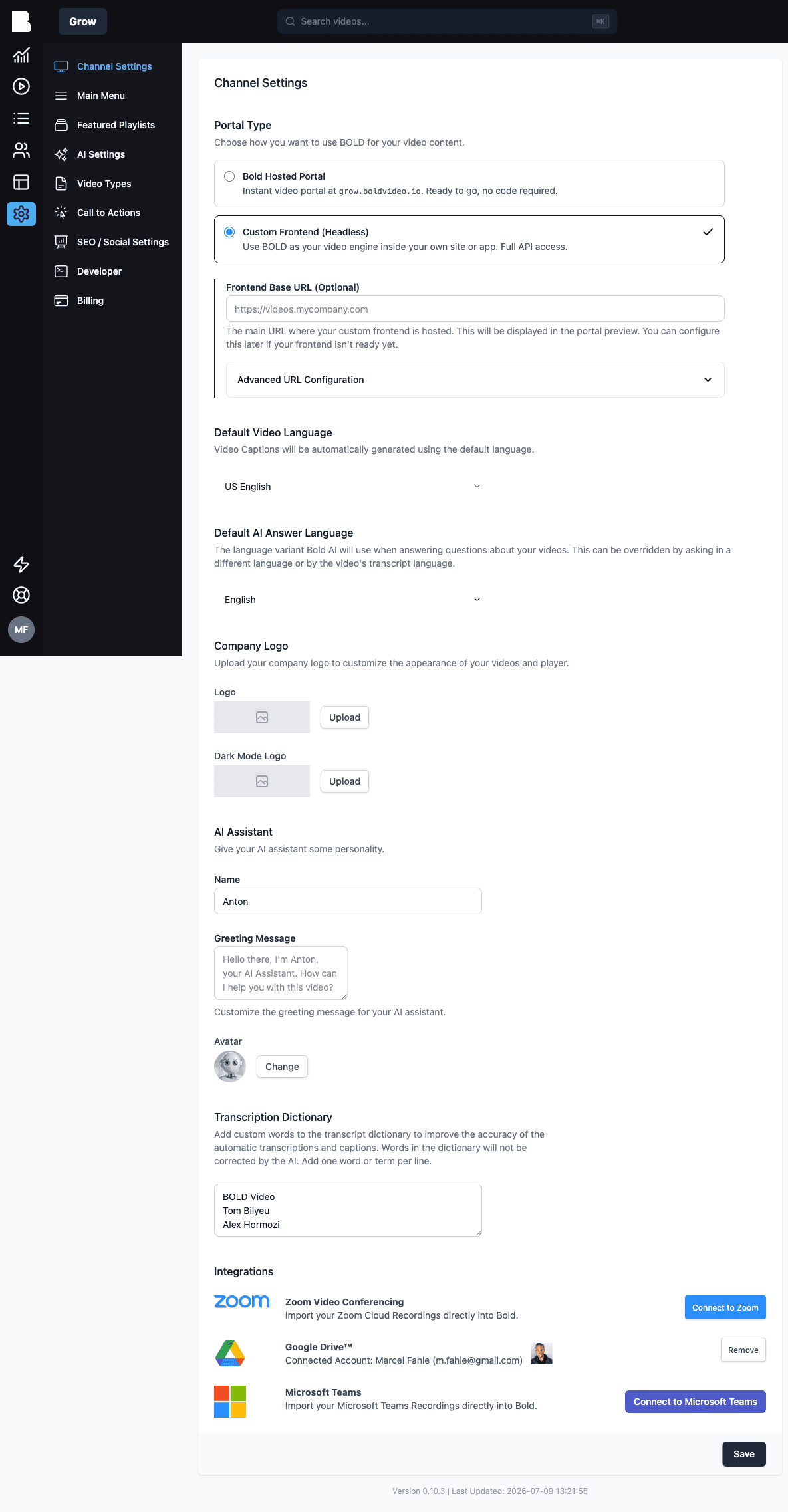
- Portal Type: Bold-hosted portal or custom frontend (headless). See Your Portal.
- Default Video Language: the language for automatic captions and transcription
- Default AI Answer Language: the variant Bold AI answers in (viewers can override by asking in another language)
- Company Logo: light and dark mode logos for your player and portal
- AI Assistant: name, greeting, and avatar for your assistant (see AI Features)
- Transcription Dictionary: your vocabulary, one term per line (see Transcripts)
- Integrations: Zoom, Google Drive, Microsoft Teams (see Integrations)
Main Menu
Build your portal's navigation: add links with a label, URL, optional icon, and an "open in new tab" toggle. Drag to reorder.
Featured Playlists
Choose and order the playlists highlighted in your portal. See Collections & Playlists.
AI Settings
The voice and knowledge of your AI assistant: organization profile, personality, fine-tuning. Covered in AI Features.
Video Types
Templates that tell the AI what to extract per kind of video. Covered in Video Intelligence.
Call to Actions
Reusable CTA templates shown alongside your videos:
- Internal name: for your reference
- Title & description: Markdown supported
- Button text & URL: where to send viewers
Set a default CTA for all videos, then override per video from the video edit page (or opt a video out with "No CTA").
SEO / Social Settings
Control how your portal appears in search results and social shares:
- Browser title and optional title suffix (e.g. "– Acme Academy")
- Meta description
- Social image (1200×630) with live preview
- Favicon
- Search indexing: discourage search engines from indexing, if your portal shouldn't be found
Developer
API keys and webhook signing secrets: the entry point for everything under API and SDK.
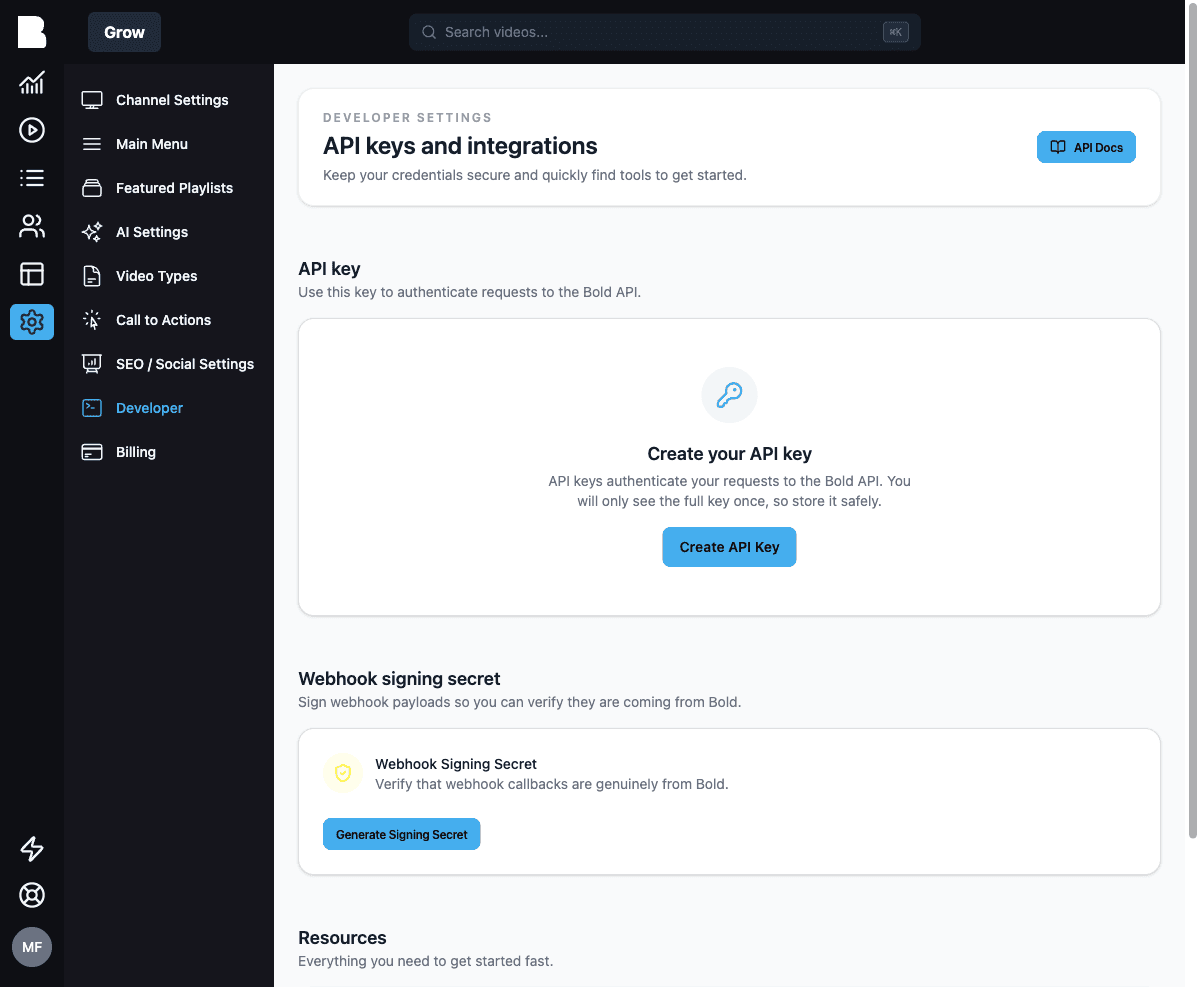
- API key: create your key here. It's shown once; copy it, download an
.env, or grab an SDK snippet on the spot. - Webhook signing secret: generate the secret used to verify webhook payloads came from Bold.
Billing
Your subscription, invoices, and plan management.